
HR that runs on your rules. HR opens once your leave types, holidays and working week are in.
Example. Names and figures are made up.
Your holidays, then who approves.
Every leave request is checked against both.
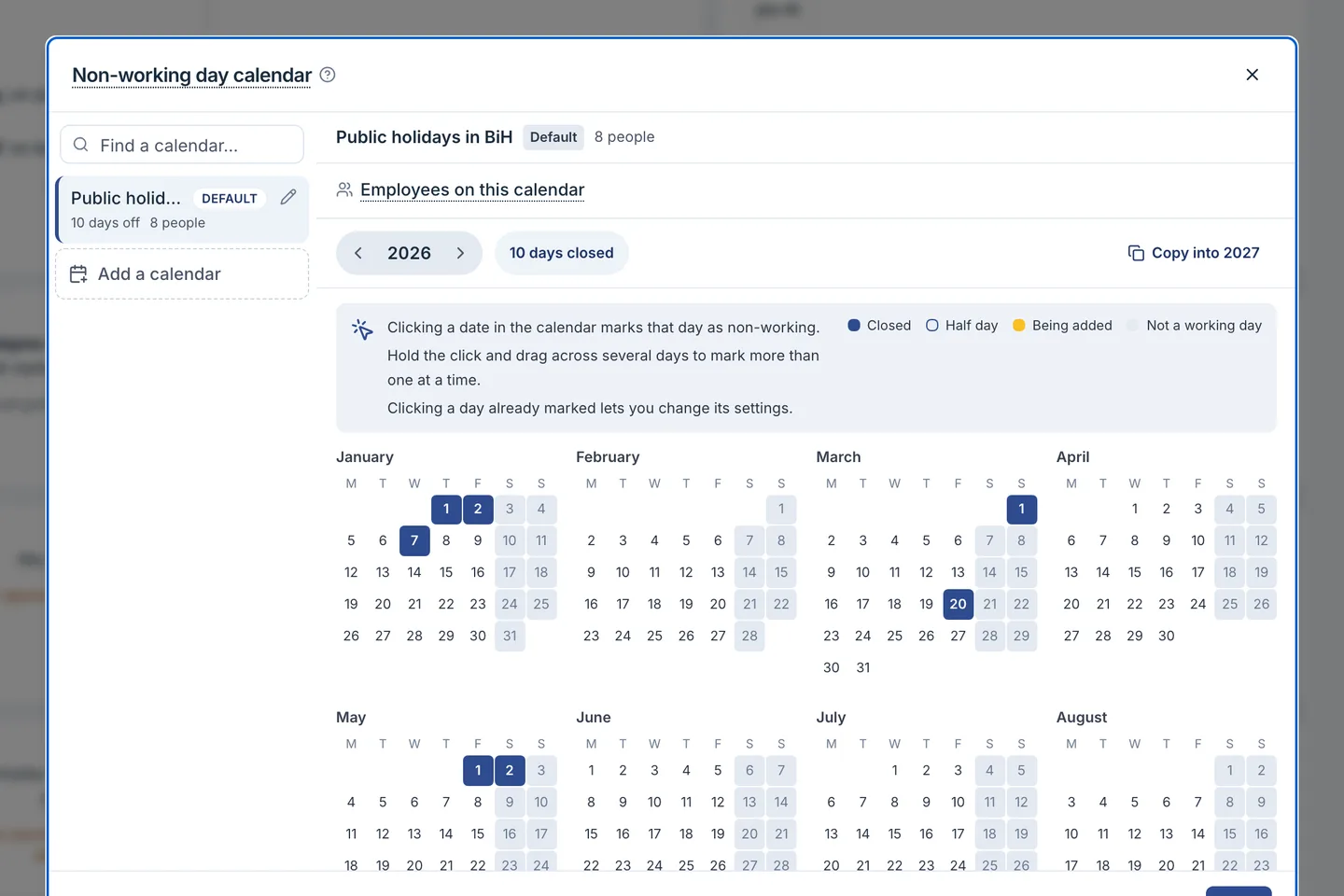
Your holidays first
One calendar or several, entered per year. Those days never cost leave.
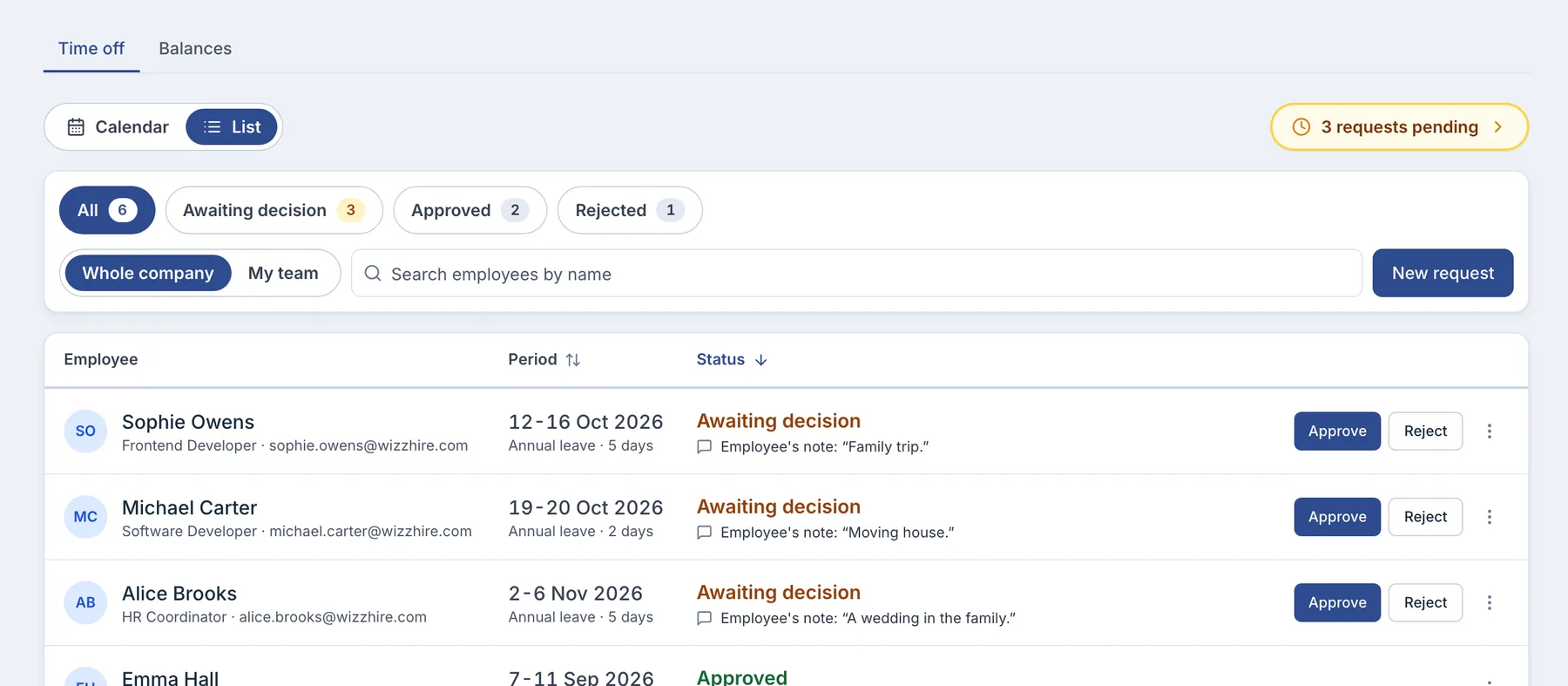
Then who approves
Up the reporting line, past anyone away. Nobody approves their own.
HR opens once your rules are in.
Until then it shows a checklist of up to ten steps.
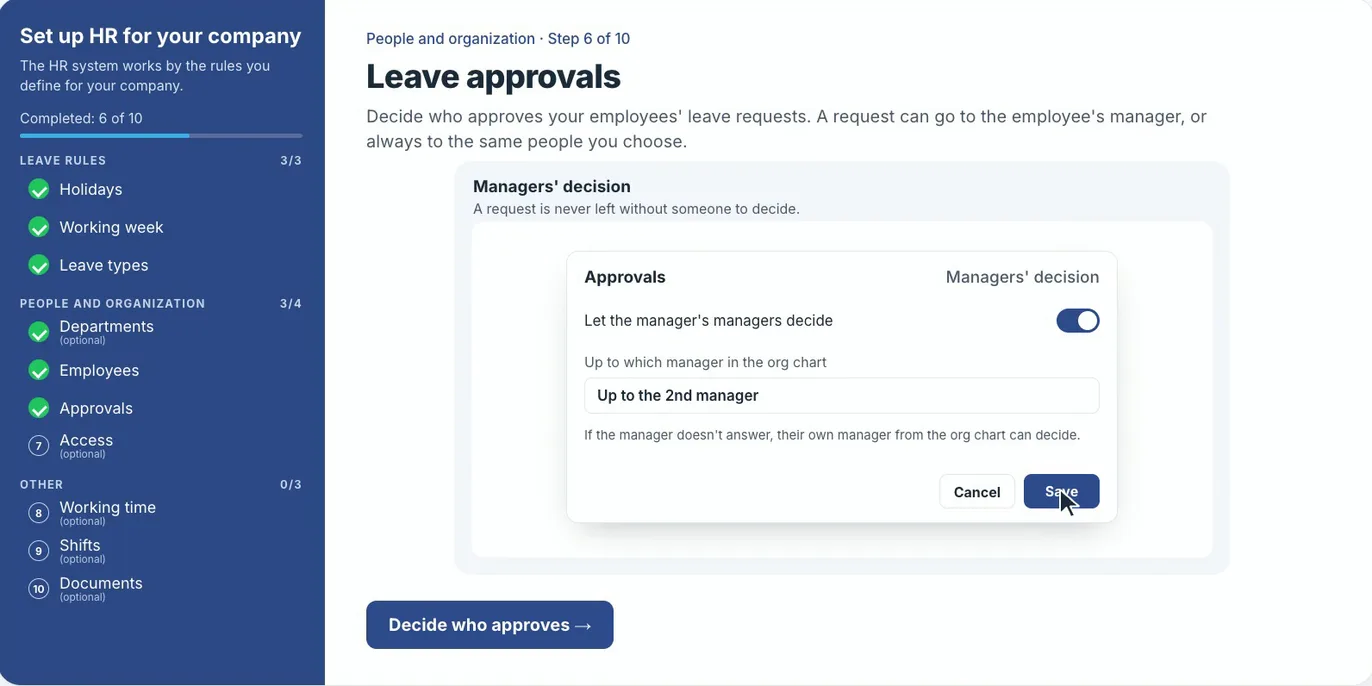
- Only the essentials are required. Holidays, working week, leave types and people; skip the rest.
- Nothing is set twice. Rules already in HR settings tick their step; the working week needs one click.
- Leave and timesheets open when you confirm the setup.
Three settings decide how leave is counted.
Every figure an employee sees comes from them.
- Leave types
- Days a year, paid or unpaid, half days, approval and carryover into next year.
- Holiday calendars
- One calendar or several, assigned per person. A holiday inside leave costs no day.
- Who approves
- The nearest manager up the line who is not away, never the requester. Named approvers per type need Growth.
Exceptions go on the person's profile.
Set a different allowance, calendar or working week there.
- Mid-year starters get prorated days by default, or the full allowance, or a number you set.
- Your own roles decide who may change the rules.
- A working week per person. Leave is counted only on the days they work.