
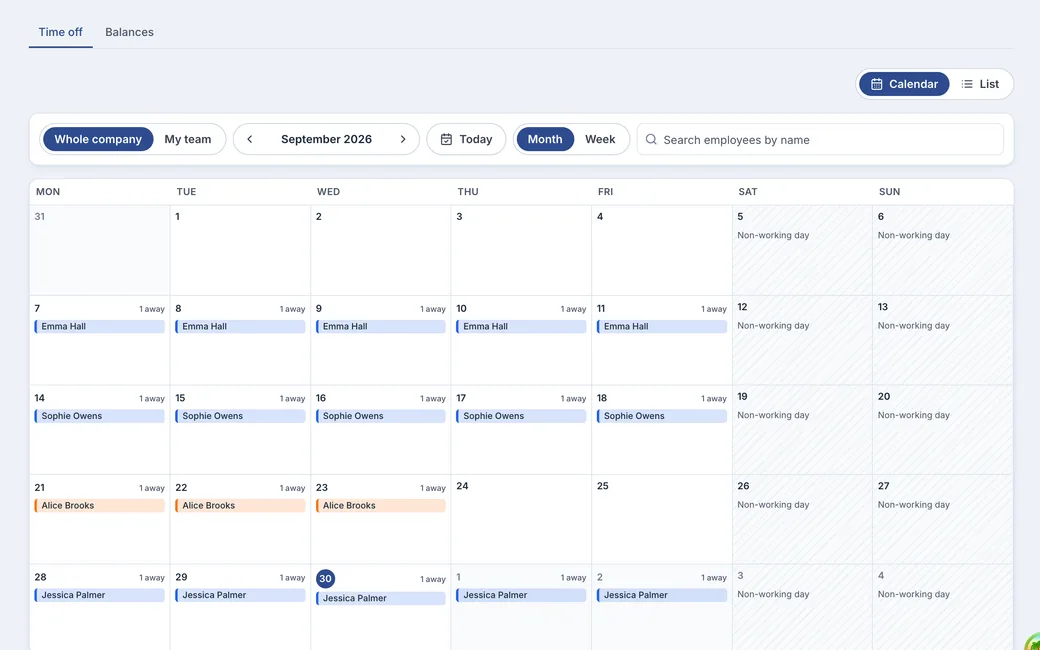
Every absence on one calendar. Who is out and when, for the whole company or just your team.
Example. Names and figures are made up.
From approval to calendar, in four steps.
Holidays and non-working days never cost anyone a day.
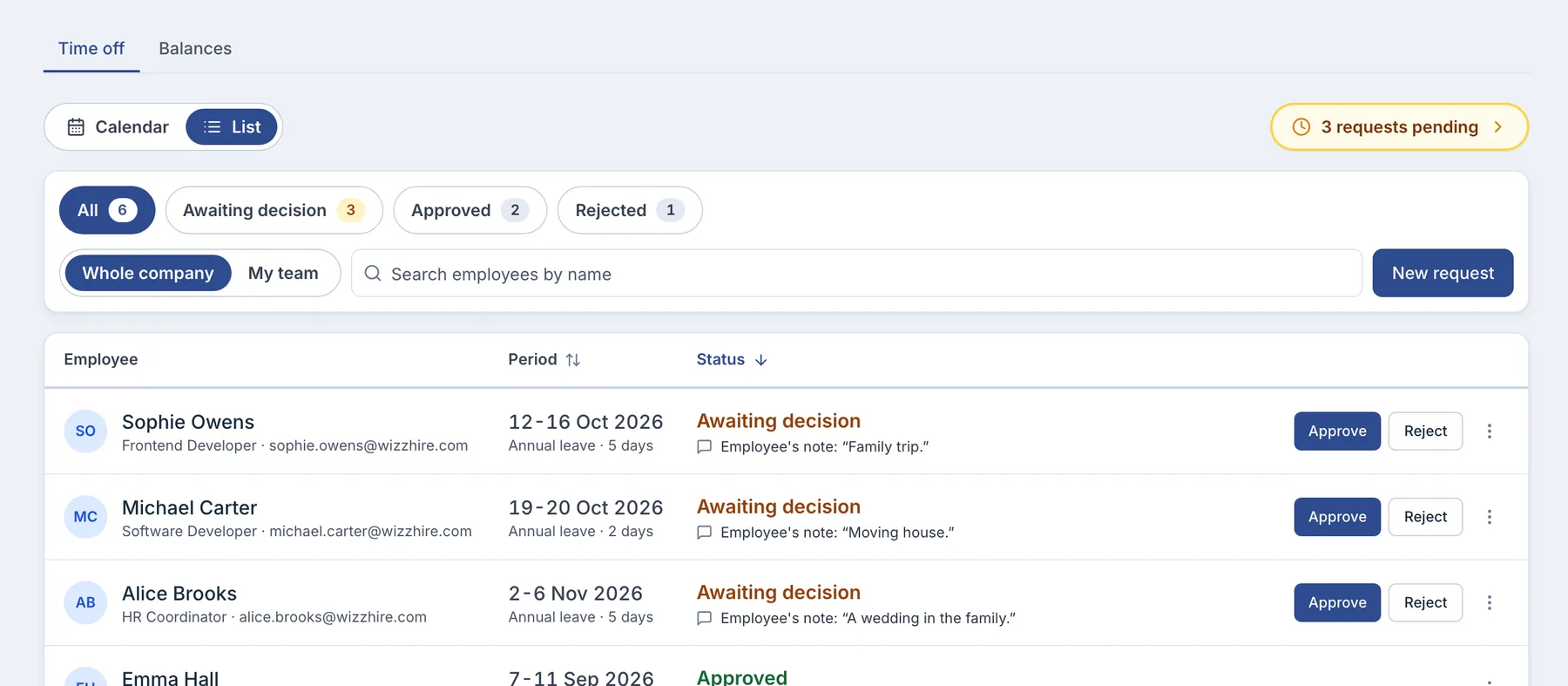
An approval is given
The approver sees who else in the department is away, before deciding.
It lands on the calendar
At once, in the leave type's colour, for everyone allowed to see it.
Holidays cost nothing
Days on your holiday calendars never come out of an allowance.
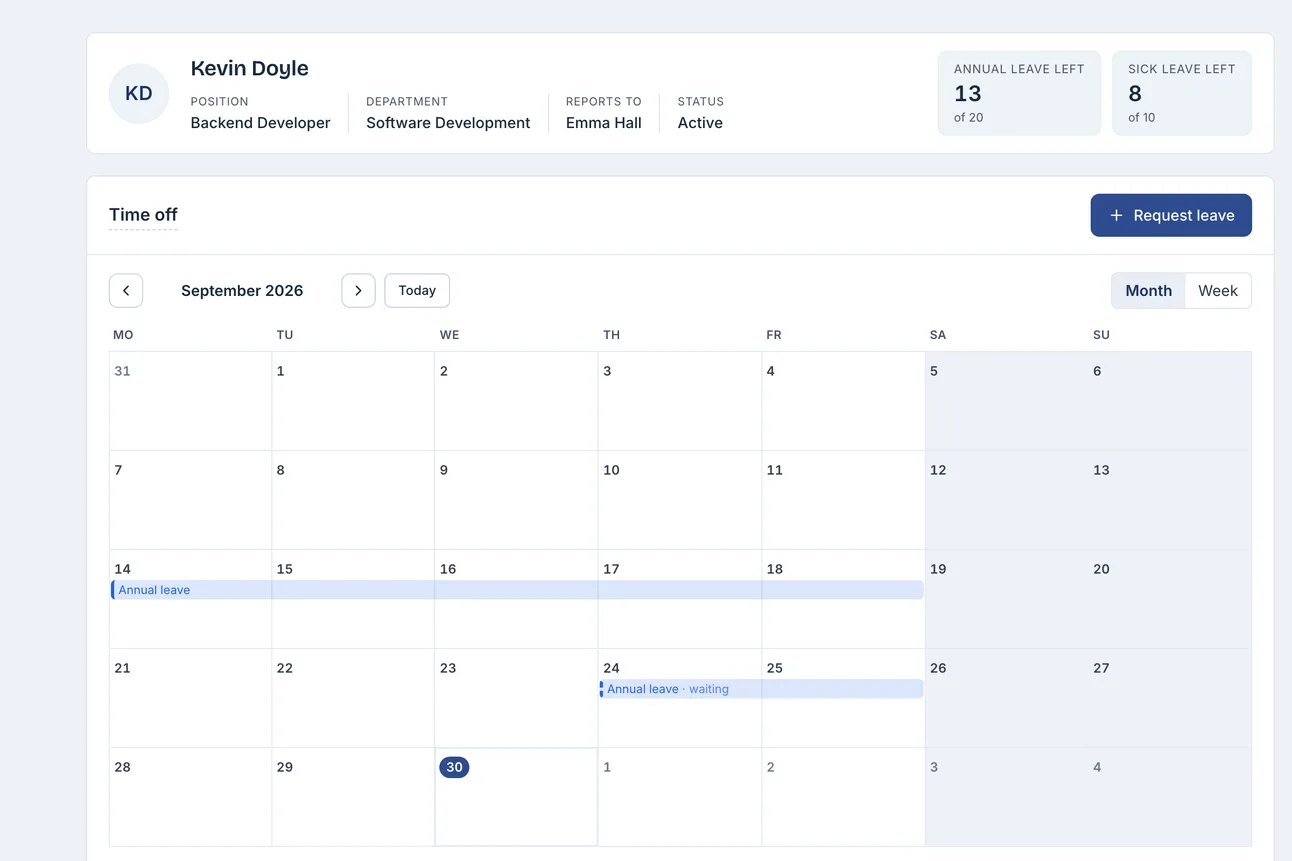
A name opens that person
HR and managers open one person's month, full screen on a phone.
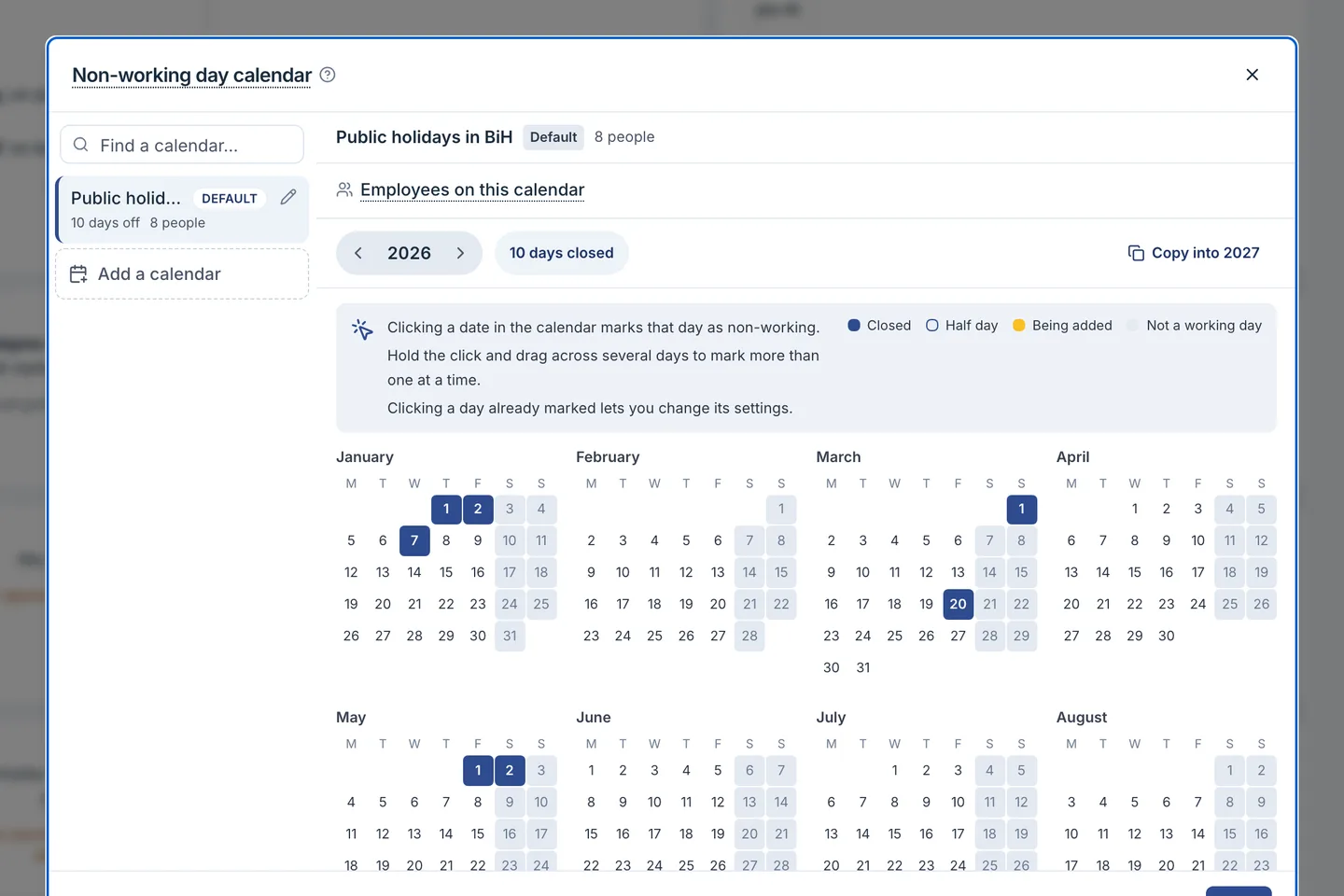
You decide which days are non-working.
Keep one holiday calendar, or several for teams that follow different ones.
- Holidays cost no leave. A week off with one holiday in it costs four days, not five.
- A calendar per person. Each employee follows the holiday calendar you assign.
- A working week per person. Someone's day off is not shown as absence and costs nothing.
Who is away, and whether it is approved.
Each day follows the rules of the person it belongs to.
- A colour per leave type
- Annual leave, sick leave and a day off are told apart at a glance.
- Requests stand apart
- A waiting request shows hatched and is not counted as away until approved.
- Holidays name their people
- Each holiday shows its calendar and whom it applies to.
- Each sees their part
- HR sees everyone, a manager everyone below them, colleagues approved leave only.
You know who was off, and for how long.
Leave reports use the same day count as the balances.
- Filter by what you need
- Person, department, manager, leave type, status and start date.
- Export to CSV
- Leave reports and the export come with HR Reports, included from Growth.
- Days left at a glance
- Balances per person and leave type show what remains.
- The roster sees it too
- Approved leave shows in the shift planner and on the printed roster. The planner needs Growth.